

What Is Historical Document Digitization?
Learn
Historical document digitization transforms fragile physical materials into searchable, indefinitely accessible digital records. It’s the reason you can examine the Declaration of Independence pixel-by-pixel on the National Archives website, zoom into handwritten annotations, and search across thousands of pages in seconds. But the process itself involves far more than running documents through a scanner. The difference between a quick scan and a proper digitization—one that preserves nuance, remains discoverable, and stands up to archival standards—lies in the infrastructure, judgment, and care applied at every stage.
Why Historical Document Digitization Matters
The impetus is straightforward: paper decays. Even acid-free materials lose legibility over decades. Leather bindings crack. Ink fades. Moisture and temperature fluctuations accelerate deterioration. Digitization halts that clock. A properly executed digital copy becomes the preservation vehicle itself, allowing the physical original to be stored in controlled conditions and handled only when necessary.
But preservation alone doesn’t justify the investment. Organizations digitize historical documents for three distinct reasons—and the digitization process you choose should align with your actual need.
For Access: Once digitized, materials become searchable across locations. A researcher in Seattle can query a collection in Chicago without requesting physical loans. Collections that would otherwise serve a few dozen on-site visitors per year can reach thousands.
For Discovery: Metadata and OCR enable serendipity. A scholar looking for references to a specific date suddenly finds unexpected connections across documents they wouldn’t have pulled otherwise. This is how digitized collections generate research, scholarship, and renewed cultural interest.
For Longevity: A digital surrogate purchased by an institution today functions as that institution’s insurance policy. Should the original ever be damaged, lost, or destroyed, the digital record persists across multiple storage locations and can be migrated to new formats as technology shifts.
Understanding which of these drives your digitization project shapes every decision downstream.
What Documents Can Be Digitized?
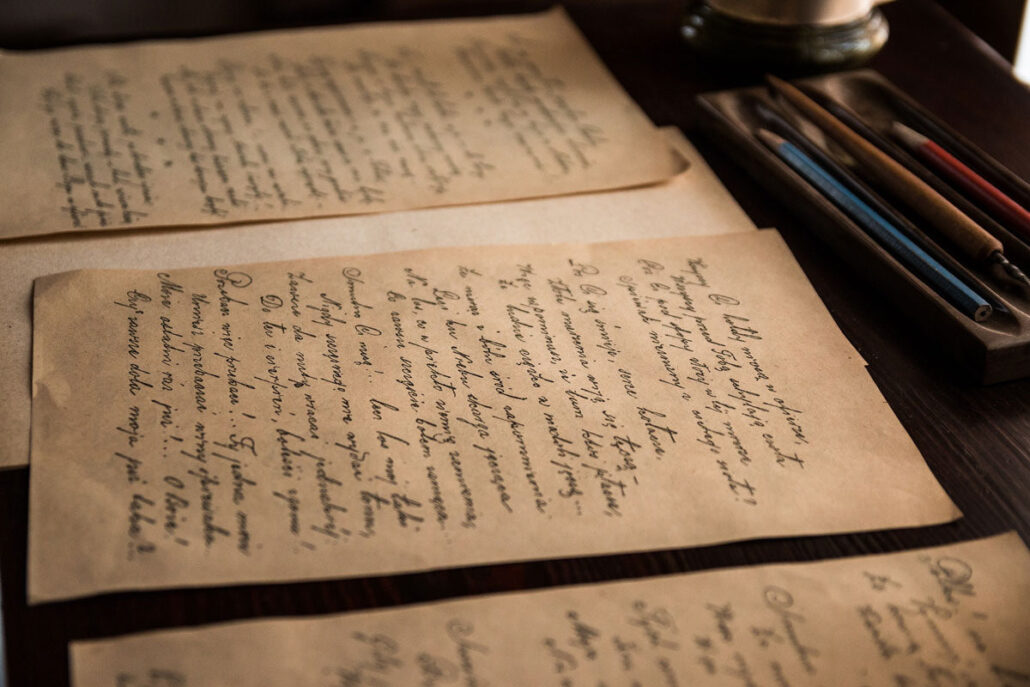
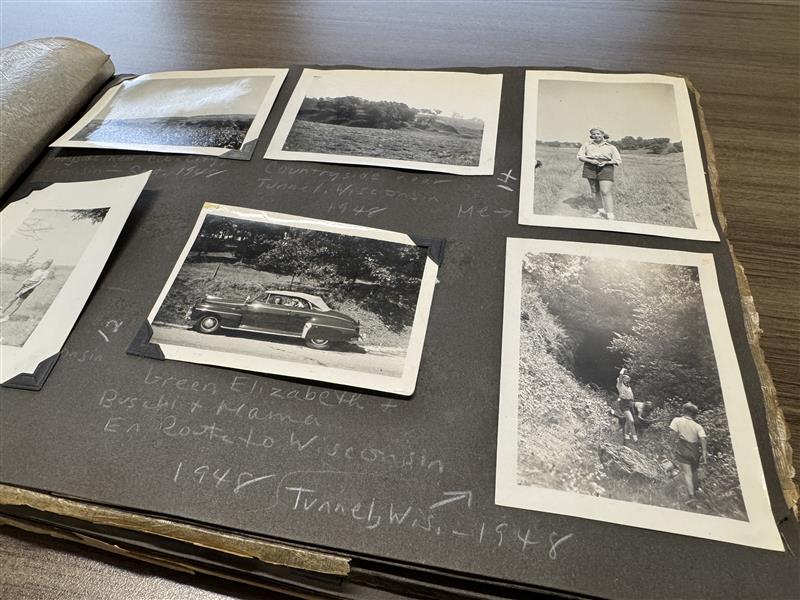
Nearly all historical materials are digitizable candidates. This includes bound manuscripts, loose correspondence, photographs, maps, newspapers, legal documents, and materials so fragile or damaged they cannot be handled for routine use.
Even severely compromised documents—water-damaged, foxed, partially illegible—benefit from digitization. High-resolution scanning sometimes reveals details invisible to the naked eye. Digital restoration can remove stains and enhance contrast, making faded text readable again. The constraint isn’t the document’s condition; it’s whether the investment makes sense relative to the material’s research value and your access goals.
Common candidates include:
- Collections requiring searchability: A library of historical books and periodicals becomes infinitely more useful once every page is OCR’d and indexed.
- Rare materials: Unique items too valuable to handle frequently.
- Materials at risk: Collections showing active deterioration.
- Holdings valuable to external audiences: Documents that would attract researchers, genealogists, or the general public but are locked behind physical access barriers.
The Digitization Process: From Preservation to Access
The journey from paper to searchable digital collection unfolds across five distinct phases. Each introduces tradeoffs between cost, quality, and functionality. Most organizations can’t or won’t maximize every phase; what matters is understanding what each phase does and choosing deliberately.
Scanning: Resolution and Repeatability
The first step captures the original in digital form. This sounds trivial until you consider the variables: resolution (typically 300-600 DPI for text, higher for photographic detail), lighting (which reveals or obscures surface texture, staining, wear), color accuracy, and the scanner type itself.
Flatbed scanners work well for bound materials, allowing each page to lie flat during capture. Large format items—maps, legal documents, oversize photographs—require specialty equipment. Sheet-fed scanners move quickly but can damage fragile materials and miss stuck pages, torn edges, or content tucked into margins.
The critical difference between commodity scanning and archival scanning is quality assurance. High-volume scanning services prioritize throughput; pages move through machines at industrial speed, and oversight is minimal. Missing pages, duplicates, and quality issues surface only if someone explicitly checks—which rarely happens.
Anderson Archival’s approach inverts this. Every single page is inspected by trained archivists post-scan. Missing pages are caught. Stuck pages are identified and handled individually. Scan quality issues—blur, uneven lighting, color shifts—are documented and often re-scanned. This step adds cost but eliminates the most common failure mode in digitization projects: discovering months later that entire documents were missed.
Cleanup and Restoration: A Choice, Not a Default
After scanning, collections reach an inflection point. Do you want the digital surrogates to reproduce the original faithfully—stains, folds, worn edges and all—or do you want them enhanced?
Faithful reproduction serves archival and forensic purposes. A facsimile that includes every imperfection documents the physical condition and can be more evidentiary for certain research questions. Restoration serves access and readability. Removing specks, mending digital tears, enhancing faded text, and correcting color casts makes materials more immediately useful to researchers.
These aren’t simple choices. Aggressive restoration can obscure evidence of age, handling, or authenticity concerns. Light restoration—smoothing heavy creasing, removing obvious stains, modest contrast enhancement—usually serves most purposes without sacrificing transparency.
Our restoration specialists evaluate each project against your stated requirements. Some clients want surrogates that look nearly pristine; others prefer minimal intervention. The work is human-intensive and therefore expensive relative to mass-market scanning, but the result is a collection whose digital form matches your actual intended use.
OCR and Verification: Making Text Searchable
Optical character recognition converts images of text into actual, indexed text. Without OCR, a digitized collection is essentially a photo album—browsable but not searchable. With OCR, every word becomes a query point.
The technology is powerful but imperfect. Handwritten text stumps it. Faded or damaged letterforms create misreads. Unusual fonts, text at angles, and layered annotations challenge the algorithms. A basic OCR pass might achieve 85% accuracy on a clear printed document. Older documents, manuscripts, or materials in poor condition might only reach 60-70%.
Here’s what matters: verification. After OCR completes, humans review the results. They flag low-confidence character recognitions and correct them. For most projects, a single verification pass is sufficient—it catches the obvious errors and moves the accuracy to 95%+. For projects requiring forensic precision, word-by-word proofing is available; this approaches 99% accuracy but costs accordingly.
The decision hinges on use case. A genealogist needs OCR they can trust when searching for family surnames; a scholar studying a specific printed book might accept lower accuracy since they’ll read original scans when they find a promising match anyway.
Metadata: Organizing Information for Discovery
OCR makes individual pages searchable. Metadata makes collections navigable. Metadata is the structured information the system uses to organize files: dates, page numbers, chapter titles, author names, geographic locations, subjects, collection identifiers, custom fields specific to your collection, and watermarks.
Once metadata is embedded, researchers can search for all documents authored by a particular person, all records from a specific decade, or all items tagged with a particular subject—across entire collections instantly. Metadata transforms a digital library from “here are 10,000 scans” into “here is a navigable, query-able archive.”
Creating good metadata requires human judgment. When does a document belong to multiple subjects? How do you handle name variations? Should you use controlled vocabularies aligned with Library of Congress standards, or create a simpler system tailored to your collection’s specifics? These aren’t technical questions; they’re choices about how your collection gets discovered and understood.
Organization and Access: Where Your Collection Lives
Once digitized, your collection needs a home. You have several options:
Self-hosted server or cloud storage: Your organization maintains the files on a server or cloud account (Google Drive, Dropbox, AWS, etc.), potentially in folders mirroring the physical collection’s arrangement. Files remain fully under your control and are viewable in standard PDF readers. This approach is economical but puts the burden of backup, security, and maintenance on your organization.
Digital library platform: Purpose-built platforms (often used by universities and libraries) provide sophisticated search interfaces, multiple viewing options, and built-in preservation workflows. They’re more robust but typically require technical expertise to maintain and often involve licensing costs.
Custom digital catalog: Anderson Archival can assist in building a custom website that showcases your collection beautifully, allows public searching and browsing, and positions your organization as a digital knowledge resource. This approach is particularly effective for collections you want to promote externally—cultural institutions, corporate archives, genealogical societies.
Each option has different cost and maintenance profiles. The right choice depends on whether your collection is internal-use only, potentially valuable to researchers outside your organization, or a strategic asset you want to promote publicly.
What Becomes Possible After Digitization?
The transformation is often surprising to organizations doing this for the first time.
For researchers:
Queries across thousands of pages execute in seconds. Scholars can identify patterns and connections that would have required months of on-site visits in the analog era. Photographs become part of searchable databases rather than isolated visual assets. The work becomes portable—a genealogist can build arguments from their home office rather than planning research trips.
For institutions:
Digitized collections reduce pressure on physical materials (fewer handling requests = less deterioration). They generate traffic and reputation. Universities and archives increasingly use digitized collections as recruitment tools. Museums can highlight acquisitions to broader audiences. Historical societies become regional knowledge centers rather than local repositories.
For public engagement:
Digital collections are discoverable through search engines. A citizen becomes interested in local history, finds your collection online, and suddenly spends hours exploring. Schools incorporate digitized primary sources into curricula. Journalists locate historical context quickly. This is how archives shift from background infrastructure to active cultural participants.
The Realities Worth Knowing
Digitization is not a set-it-and-forget-it project. A few practical considerations:
Scale and complexity: A collection of 500 books is fundamentally different from 50,000 loose documents. Organization, metadata scheme complexity, and OCR accuracy targets all scale. Timeline and budget planning should be ruthlessly honest about collection size and condition.
Format migrations: Technology shifts. The digital formats you choose today (JPEG, TIFF, PDF) will likely outlast our current hardware and software ecosystems. Sustainable digitization includes planning for periodic format refreshes—a conversation worth having upfront rather than discovering it as a surprise twenty years on.
Quality versus timeline: Every digitization project sits on a triangle: speed, cost, and quality. You can have all three moderately, but prioritizing two means compromising the third. A project demanding rapid turnaround and minimal cost will sacrifice quality assurance and restoration. A project demanding high quality and preservation-grade standards will require extended timelines. Clarity about which constraints matter most prevents expensive rework.
Ongoing access: Digitization is only valuable if the collection remains accessible. If you build a custom digital catalog, it requires periodic software updates and security patches. If files live on aging servers, hardware replacement happens. If you move platforms, migrations happen. Budget for ongoing access, not just the initial conversion.
Choosing the Right Digitization Partner
Not all digitization services are equivalent. The commodity scanning industry competes primarily on cost and speed; faster throughput means lower per-page pricing. For materials that tolerate commodity handling—recent correspondence, standard printed books in good condition—that’s often sufficient.
Historical documents, rare materials, and collections where quality directly affects research value need different criteria:

Archivist involvement: Are staff trained to handle fragile materials? Do archivists review scan quality, not just scanning technicians? Do they identify and flag issues before they cascade?
Transparency about standards: How does the service define “quality?” What resolution is used? How is OCR verified? What’s the protocol for damaged or questionable pages?
Customization capacity: Does the service support your specific preservation goals and metadata requirements, or force you into standardized templates?
Redundancy and backup: Where are files stored? Are backups maintained geographically separate from originals? What’s the data recovery protocol?
Post-completion support: What happens if issues surface six months after scanning? Are corrections available? Are format migrations handled as technology shifts?
These questions separate digitization from digital preservation—the difference between making collections accessible today and ensuring they remain accessible permanently.
Ready to Explore Digitization for Your Collection?
Anderson Archival has digitized millions of pages across historical societies, universities, corporate archives, government agencies, and cultural institutions. We approach each collection as irreplaceable—because they are.
Subscribe to Our Newsletter
Digital preservation is about connecting to history. We do our best to bring you the important news and personal stories you’re interested in. We’re always looking for article ideas. Come learn with us!
Frequently Asked Questions
Can’t Find What You’re Looking For?
We’d Love to Chat With You
What's the difference between simply scanning documents and proper digitization?
Scanning is just the first step. A scan is essentially a photograph of a page. Digitization encompasses the entire process: high-quality scanning, quality assurance by trained staff, restoration if needed, OCR verification, metadata creation, and organizing everything into a searchable, accessible system. The difference is like the gap between taking a photo of a book and creating a fully indexed library.
Can severely damaged documents really be digitized?
Yes. Water damage, fading, staining, tears, and foxing (brown spots from age) don’t prevent digitization. In fact, high-resolution scanning sometimes reveals details invisible to the naked eye. Digital restoration can enhance faded text and remove surface stains. The constraint isn’t the document’s condition; it’s whether the research or cultural value justifies the investment.
Do I lose the original when I digitize?
Not at all. The original stays exactly as it is. Digitization creates a surrogate—a digital copy that becomes your access vehicle while the original is stored safely and handled only when necessary. Many institutions use digitized surrogates for 99% of research requests, which dramatically reduces wear on fragile originals.
Why does Anderson Archival's scanning cost more than commodity scanning services?
Because every page is quality assured by trained archivists, not just run through a machine. Commodity services prioritize speed; pages move at industrial pace and oversights are common. We catch stuck pages, duplicates, missing pages, and quality issues before you discover them months later. The cost difference is insurance against expensive rework and incomplete collections.
Once digitized, how do people find my collection?
That depends on where it lives. If files sit on your server or cloud storage, discovery is limited to people who already know about your collection. If you build a custom digital catalog website (which Anderson Archival can help with), the collection becomes searchable, and search engines index it. This dramatically expands reach—researchers discover you through Google, teachers find primary sources for curricula, genealogists locate family records. Many institutions discover that digitization’s greatest value isn’t internal efficiency; it’s external visibility and impact.